Your app works perfectly in development. localhost:3000 → localhost:8000. No issues.
You deploy to production. Suddenly:
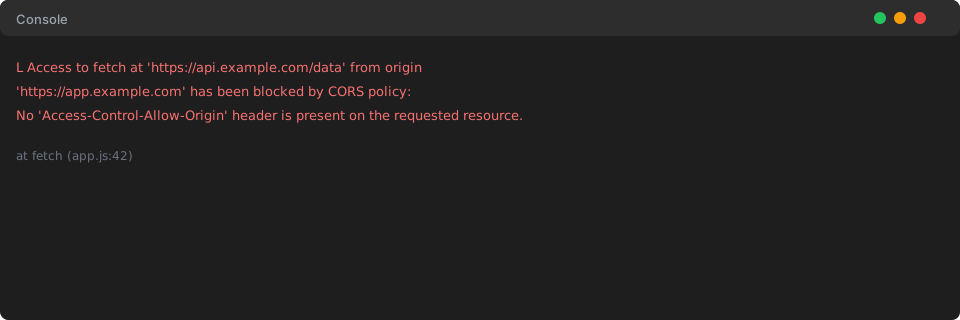
❌ Access to fetch at 'https://api.yourapp.com' from origin
      'https://yourapp.com' has been blocked by CORS policy:
      No 'Access-Control-Allow-Origin' header is present on the
      requested resource.
Your frontend: deployed ✅
Your backend: deployed ✅
Your API calls: completely broken ❌
According to a March 2026 survey, CORS errors remain one of the top frustrations for developers deploying to production[1]. The problem? CORS works differently in development proxies than it does with real domains.
Welcome to CORS hell. Let's fix it—properly, securely, and permanently.
What Is CORS (And Why It Exists)
Before we fix CORS errors, you need to understand why browsers enforce CORS in the first place. This isn't just bureaucratic security theater—CORS protects users from real attacks.
The Same-Origin Policy
Browsers have a fundamental security rule called the Same-Origin Policy (SOP). By default, JavaScript running on one origin cannot access resources from another origin.
What counts as "same origin"?
An origin is defined by three components:
- Protocol (http vs https)
- Domain (example.com vs api.example.com)
- Port (3000 vs 8000)
All three must match for requests to be considered same-origin.
// Same origin - ALLOWED ✅
      https://app.example.com/page1
      ↓ requests
      https://app.example.com/api/users

      // Different origin - BLOCKED by default ❌
      https://app.example.com
      ↓ requests
      https://api.example.com/users
      // Different subdomain = different origin

      // Different origin - BLOCKED by default ❌
      https://app.example.com
      ↓ requests
      http://app.example.com/api
      // HTTP vs HTTPS = different protocol

      // Different origin - BLOCKED by default ❌
      http://localhost:3000
      ↓ requests
      http://localhost:8000
      // Different port = different origin
Why This Security Rule Exists
Without the Same-Origin Policy, malicious websites could:
- Steal your banking session: A malicious site could send requests to your bank using your logged-in session cookies
- Access internal networks: JavaScript could probe your company's intranet or home router
- Read private data: Any website could read data from other tabs you have open
CORS (Cross-Origin Resource Sharing) is the mechanism that allows servers to selectively relax this security policy in a controlled way.
The server tells the browser: "Yes, I allow origin X to read my responses."
CORS Is Security, Not a Bug
This is crucial to understand: CORS is protecting users. When you see a CORS error, it means:
✅ Your browser is working correctly
✅ The security model is functioning as designed
❌ Your server hasn't given permission for cross-origin access
The fix isn't to "disable CORS" (you can't, it's browser-enforced). The fix is to configure your server correctly.
Common CORS Error Messages (Decoded)
Let's decode the most common CORS errors you'll encounter in production.
Error 1: "No 'Access-Control-Allow-Origin' header"
Access to fetch at 'https://api.example.com/data' from origin
      'https://example.com' has been blocked by CORS policy:
      No 'Access-Control-Allow-Origin' header is present on the
      requested resource.
What it means: Your server responded, but didn't include the Access-Control-Allow-Origin header at all.
Common causes:
- CORS middleware not installed
- CORS middleware not applied to this specific route
- Server crashed/errored before sending headers
- Reverse proxy stripped the headers
Quick diagnostic: Check if the response has any Access-Control-* headers. If zero headers, CORS isn't configured.
Error 2: "Origin not in Access-Control-Allow-Origin"
The 'Access-Control-Allow-Origin' header has a value
      'https://otherdomain.com' that is not equal to the supplied origin.
What it means: Server sent CORS headers, but not for your origin.
Common causes:
- Hardcoded wrong origin in backend code
- Environment variable not set or set incorrectly
- Typo in domain name (www vs non-www)
- HTTP vs HTTPS mismatch
Example of the problem:
// Backend configured for:
      'Access-Control-Allow-Origin': 'https://app.example.com'

      // But frontend is actually at:
      'https://www.app.example.com'  // Note the 'www'

      // Result: CORS error
Error 3: "Preflight request doesn't pass access control check"
Access to fetch at 'https://api.example.com/data' from origin
      'https://example.com' has been blocked by CORS policy:
      Response to preflight request doesn't pass access control check:
      No 'Access-Control-Allow-Origin' header is present.
What it means: The OPTIONS preflight request failed.
Common causes:
- Server doesn't handle OPTIONS requests at all
- OPTIONS returns wrong status code (must be 2xx, typically 200 or 204)
- OPTIONS missing required CORS headers
- Authentication middleware blocking OPTIONS
This is one of the most common production CORS errors because developers forget that browsers send OPTIONS before certain requests[2].

Error 4: "Credentials mode is 'include'"
Access to fetch has been blocked by CORS policy:
      The value of the 'Access-Control-Allow-Credentials' header in
      the response is '' which must be 'true' when the request's
      credentials mode is 'include'.
What it means: You're trying to send cookies or auth headers, but the server didn't explicitly allow credentials.
Common causes:
- Frontend sends
credentials: 'include'in fetch - Backend doesn't set
Access-Control-Allow-Credentials: true - Backend uses
origin: '*'(wildcard) with credentials (not allowed)
Error 5: "Method not allowed by Access-Control-Allow-Methods"
Method PUT is not allowed by Access-Control-Allow-Methods
      in preflight response.
What it means: Server's CORS config doesn't include the HTTP method you're using.
Common causes:
- CORS configured for GET/POST only, but you're using PUT/DELETE
- Preflight response missing
Access-Control-Allow-Methodsheader
Error 6: "Request header not allowed"
Request header field Authorization is not allowed by
      Access-Control-Allow-Headers in preflight response.
What it means: You're sending a custom header (like Authorization) that the server didn't explicitly allow.
Common causes:
- Forgot to include custom headers in
Access-Control-Allow-Headers - Typo in header name
Why It Works in Development But Breaks in Production
The #1 reason developers are confused by CORS: it works locally but fails in production.
Development Setup (What Hides the Problem)
#### Using a Development Proxy
Many frameworks use proxies that bypass CORS:
// package.json (React/Vue/Angular)
      {
        "proxy": "http://localhost:8000"
      }
What this does: The dev server proxies requests to your backend. From the browser's perspective, everything is same-origin (localhost:3000).
Result: No CORS checks, no CORS configuration needed.
#### Both Services on Localhost
// Frontend: http://localhost:3000
      // Backend: http://localhost:8000

      // CORS is configured like this:
      cors({ origin: 'http://localhost:3000' })
This works in development because you've explicitly allowed localhost:3000.
Production Reality (Where It Breaks)
// Frontend: https://app.example.com
      // Backend: https://api.example.com

      // But backend still has:
      cors({ origin: 'http://localhost:3000' })  // ❌ Wrong origin!

      // OR

      cors({ origin: '*' })  // ❌ Insecure and breaks with credentials!
The production checklist:
- Backend configured for production domain (not localhost)
- Environment variables set correctly
- HTTPS in production (HTTP in dev)
- Subdomain differences handled (www vs non-www)
- Preflight (OPTIONS) requests configured
- Credentials configuration matches frontend
How to Fix CORS Properly (Framework-Specific)
Now for the actual solutions. I'll show you how to configure CORS correctly for major frameworks.
Node.js / Express
#### Basic Secure Setup
const express = require('express');
      const cors = require('cors');

      const app = express();

      // ❌ NEVER DO THIS IN PRODUCTION
      app.use(cors({ origin: '*' }));

      // ✅ DO THIS - Explicit whitelist
      const allowedOrigins = [
        'https://yourapp.com',
        'https://www.yourapp.com',
        'https://staging.yourapp.com'
      ];

      const corsOptions = {
        origin: function(origin, callback) {
          // Allow requests with no origin (mobile apps, Postman, curl)
          if (!origin) return callback(null, true);

          if (allowedOrigins.indexOf(origin) === -1) {
            const msg = `The CORS policy for this site does not allow access from origin ${origin}`;
            return callback(new Error(msg), false);
          }
          return callback(null, true);
        },
        credentials: true, // Allow cookies and Authorization headers
        methods: ['GET', 'POST', 'PUT', 'DELETE', 'PATCH', 'OPTIONS'],
        allowedHeaders: ['Content-Type', 'Authorization', 'X-Requested-With'],
        exposedHeaders: ['Content-Range', 'X-Content-Range'],
        maxAge: 86400 // 24 hours - cache preflight results
      };

      app.use(cors(corsOptions));

      // Important: Add OPTIONS handling for all routes
      app.options('*', cors(corsOptions));
#### Environment-Based Configuration
// config.js
      const getCorsDomains = () => {
        switch(process.env.NODE_ENV) {
          case 'production':
            return [process.env.FRONTEND_URL]; // https://app.example.com
          case 'staging':
            return [process.env.STAGING_FRONTEND_URL]; // https://staging.app.example.com
          case 'development':
            return ['http://localhost:3000', 'http://localhost:3001'];
          default:
            return ['http://localhost:3000'];
        }
      };

      const corsOptions = {
        origin: function(origin, callback) {
          const allowedOrigins = getCorsDomains();
          if (!origin || allowedOrigins.indexOf(origin) !== -1) {
            callback(null, true);
          } else {
            callback(new Error('Not allowed by CORS'));
          }
        },
        credentials: true
      };

      module.exports = corsOptions;
// app.js
const corsOptions = require('./config');
app.use(cors(corsOptions));#### Handling Specific Routes
// Different CORS settings for different routes
      app.use('/api/public', cors({
        origin: '*' // Public API, anyone can access
      }));

      app.use('/api/private', cors({
        origin: ['https://app.example.com'],
        credentials: true // Private API, only your app
      }));
Next.js (API Routes)
// pages/api/data.js
      export default function handler(req, res) {
        const allowedOrigin = process.env.NEXT_PUBLIC_FRONTEND_URL || 'http://localhost:3000';

        // Set CORS headers
        res.setHeader('Access-Control-Allow-Credentials', 'true');
        res.setHeader('Access-Control-Allow-Origin', allowedOrigin);
        res.setHeader('Access-Control-Allow-Methods', 'GET,POST,PUT,DELETE,OPTIONS');
        res.setHeader('Access-Control-Allow-Headers', 'X-CSRF-Token, X-Requested-With, Accept, Accept-Version, Content-Length, Content-MD5, Content-Type, Date, X-Api-Version, Authorization');

        // Handle preflight OPTIONS request
        if (req.method === 'OPTIONS') {
          res.status(200).end();
          return;
        }

        // Your actual endpoint logic
        if (req.method === 'GET') {
          res.status(200).json({ data: 'success' });
        } else if (req.method === 'POST') {
          const body = req.body;
          res.status(201).json({ created: true, data: body });
        } else {
          res.status(405).json({ error: 'Method not allowed' });
        }
      }
#### Next.js Middleware (Next 12.2+)
// middleware.js
      import { NextResponse } from 'next/server';

      export function middleware(request) {
        const origin = request.headers.get('origin');
        const allowedOrigins = [
          'https://app.example.com',
          'https://www.app.example.com'
        ];

        const response = NextResponse.next();

        if (origin && allowedOrigins.includes(origin)) {
          response.headers.set('Access-Control-Allow-Origin', origin);
          response.headers.set('Access-Control-Allow-Credentials', 'true');
          response.headers.set('Access-Control-Allow-Methods', 'GET,POST,PUT,DELETE,OPTIONS');
          response.headers.set('Access-Control-Allow-Headers', 'Content-Type, Authorization');
        }

        // Handle preflight
        if (request.method === 'OPTIONS') {
          return new Response(null, {
            status: 200,
            headers: response.headers
          });
        }

        return response;
      }

      export const config = {
        matcher: '/api/:path*'
      };
Django (Python)
# settings.py
      INSTALLED_APPS = [
          'corsheaders',
          'django.contrib.admin',
          # ... other apps
      ]

      MIDDLEWARE = [
          'corsheaders.middleware.CorsMiddleware',  # Must be first!
          'django.middleware.common.CommonMiddleware',
          # ... other middleware
      ]

      # ❌ NEVER in production
      # CORS_ALLOW_ALL_ORIGINS = True

      # ✅ Secure configuration
      CORS_ALLOWED_ORIGINS = [
          "https://app.example.com",
          "https://www.app.example.com",
      ]

      # If using subdomains
      # CORS_ALLOWED_ORIGIN_REGEXES = [
      #     r"^https://w+.example.comexport const blogPosts: BlogPost[] = [
quot;,
      # ]

      CORS_ALLOW_CREDENTIALS = True

      CORS_ALLOW_METHODS = [
          'DELETE',
          'GET',
          'OPTIONS',
          'PATCH',
          'POST',
          'PUT',
      ]

      CORS_ALLOW_HEADERS = [
          'accept',
          'accept-encoding',
          'authorization',
          'content-type',
          'dnt',
          'origin',
          'user-agent',
          'x-csrftoken',
          'x-requested-with',
      ]
# Environment-based configuration
import os
if os.environ.get('ENVIRONMENT') == 'production':
CORS_ALLOWED_ORIGINS = [
os.environ.get('FRONTEND_URL'),
]
elif os.environ.get('ENVIRONMENT') == 'staging':
CORS_ALLOWED_ORIGINS = [
os.environ.get('STAGING_FRONTEND_URL'),
]
else: # development
CORS_ALLOWED_ORIGINS = [
"http://localhost:3000",
"http://127.0.0.1:3000",
]FastAPI (Python)
from fastapi import FastAPI
      from fastapi.middleware.cors import CORSMiddleware
      import os

      app = FastAPI()

      # ❌ Insecure
      # origins = ["*"]

      # ✅ Secure - environment-based
      def get_cors_origins():
          env = os.getenv('ENVIRONMENT', 'development')
          if env == 'production':
              return [os.getenv('FRONTEND_URL')]
          elif env == 'staging':
              return [os.getenv('STAGING_FRONTEND_URL')]
          else:
              return [
                  "http://localhost:3000",
                  "http://localhost:3001",
              ]

      app.add_middleware(
          CORSMiddleware,
          allow_origins=get_cors_origins(),
          allow_credentials=True,
          allow_methods=["GET", "POST", "PUT", "DELETE", "OPTIONS"],
          allow_headers=["*"],
          max_age=3600,  # Cache preflight for 1 hour
      )

      @app.get("/api/data")
      async def get_data():
          return {"message": "Hello World"}
Nginx (Reverse Proxy)
If you're using Nginx as a reverse proxy, you can handle CORS there:
server {
          listen 443 ssl;
          server_name api.example.com;

          # SSL configuration
          ssl_certificate /path/to/cert.pem;
          ssl_certificate_key /path/to/key.pem;

          location / {
              # Handle preflight OPTIONS requests
              if ($request_method = 'OPTIONS') {
                  add_header 'Access-Control-Allow-Origin' 'https://app.example.com' always;
                  add_header 'Access-Control-Allow-Methods' 'GET, POST, PUT, DELETE, OPTIONS' always;
                  add_header 'Access-Control-Allow-Headers' 'DNT,User-Agent,X-Requested-With,If-Modified-Since,Cache-Control,Content-Type,Range,Authorization' always;
                  add_header 'Access-Control-Allow-Credentials' 'true' always;
                  add_header 'Access-Control-Max-Age' 86400 always;
                  add_header 'Content-Type' 'text/plain; charset=utf-8' always;
                  add_header 'Content-Length' 0 always;
                  return 204;
              }

              # Add CORS headers to all responses
              add_header 'Access-Control-Allow-Origin' 'https://app.example.com' always;
              add_header 'Access-Control-Allow-Credentials' 'true' always;
              add_header 'Access-Control-Expose-Headers' 'Content-Length,Content-Range' always;

              # Proxy to your backend
              proxy_pass http://localhost:8000;
              proxy_set_header Host $host;
              proxy_set_header X-Real-IP $remote_addr;
              proxy_set_header X-Forwarded-For $proxy_add_x_forwarded_for;
              proxy_set_header X-Forwarded-Proto $scheme;
          }
      }
Common Mistakes (Anti-Patterns)
❌ Mistake 1: Using Wildcard (*) with Credentials
// THIS DOESN'T WORK
      app.use(cors({
        origin: '*',              // ← Wildcard
        credentials: true         // ← Can't be used together!
      }));

      // Browser rejects this combination for security reasons
Why it fails: Browsers don't allow Access-Control-Allow-Origin: * when credentials are involved. This would be a massive security hole.
Fix: Use explicit origin list:
app.use(cors({
        origin: ['https://app.example.com'],
        credentials: true
      }));
❌ Mistake 2: Not Handling Preflight (OPTIONS)
// Only handles POST, but browser sends OPTIONS first!
      app.post('/api/data', (req, res) => {
        res.json({ success: true });
      });

      // Missing OPTIONS handler causes preflight to fail
What happens:
- Browser sends OPTIONS request (preflight)
- Server responds with 404 (no OPTIONS handler)
- Browser blocks the actual POST request
- Developer sees CORS error
Fix:
// Handle OPTIONS explicitly
      app.options('/api/data', cors(corsOptions));

      // Or handle all OPTIONS
      app.options('*', cors(corsOptions));
❌ Mistake 3: Wrong Status Code on Preflight
// ❌ BAD - Wrong status code
      app.options('/api/data', (req, res) => {
        res.status(404).send();  // Wrong!
      });

      // ✅ GOOD - Must be 2xx
      app.options('/api/data', (req, res) => {
        res.status(200).send();  // Correct
      });

      // ✅ BETTER - 204 (No Content) is more semantically correct
      app.options('/api/data', (req, res) => {
        res.status(204).send();
});Why: Browsers require preflight to succeed (2xx status). Anything else (404, 500, etc.) makes the browser block the real request.
❌ Mistake 4: Forgetting Environment Variables
// Hardcoded in code:
      cors({
        origin: 'https://staging.example.com'  // ❌ Wrong!
      })

      // Deployed to production:
// Still pointing at staging domain!Fix:
cors({
        origin: process.env.FRONTEND_URL  // ✅ Correct
      })
# .env.production
FRONTEND_URL=https://app.example.com
# .env.staging
FRONTEND_URL=https://staging.app.example.com
# .env.development
FRONTEND_URL=http://localhost:3000❌ Mistake 5: Authentication Middleware Blocking OPTIONS
// ❌ BAD - Auth blocks preflight
      app.use(authMiddleware);  // Checks JWT on ALL requests including OPTIONS
      app.post('/api/data', (req, res) => {
        res.json({ data: 'success' });
      });

// Preflight (OPTIONS) has no auth header → 401 → CORS failsFix:
// ✅ GOOD - Skip auth for OPTIONS
      app.use((req, res, next) => {
        if (req.method === 'OPTIONS') {
          return cors(corsOptions)(req, res, next);
        }
        next();
      });

      app.use(authMiddleware);  // Now auth runs AFTER OPTIONS check
❌ Mistake 6: CDN/Proxy Stripping Headers
If you use a CDN (Cloudflare, CloudFront) or reverse proxy, they might strip or override your CORS headers.
Symptom: Backend logs show correct headers, but browser receives different ones.
Fix: Configure your CDN/proxy to preserve CORS headers:
// Cloudflare Workers example
      addEventListener('fetch', event => {
        event.respondWith(handleRequest(event.request));
      });

      async function handleRequest(request) {
        const response = await fetch(request);

        // Clone and add CORS headers
        const newResponse = new Response(response.body, response);
        newResponse.headers.set('Access-Control-Allow-Origin', 'https://app.example.com');
        newResponse.headers.set('Access-Control-Allow-Credentials', 'true');

        return newResponse;
      }
Security Best Practices
1. Never Use origin: '*' in Production
// ❌ INSECURE
      app.use(cors({ origin: '*' }));
Why it's dangerous:
- Opens your API to any website on the internet
- Enables CSRF attacks
- Violates principle of least privilege
- Can't be used with credentials anyway
Exception: Public APIs that genuinely need to be accessed by anyone (like a weather API or public data endpoint).
2. Whitelist Specific Origins
// ✅ SECURE
      const allowedOrigins = [
        'https://app.example.com',
        'https://www.example.com'
      ];

      app.use(cors({
        origin: function(origin, callback) {
          if (!origin || allowedOrigins.includes(origin)) {
            callback(null, true);
          } else {
            callback(new Error('Not allowed by CORS'));
          }
        }
      }));
3. Use Environment Variables Everywhere
# .env
      NODE_ENV=production
      FRONTEND_URL=https://app.example.com
      API_URL=https://api.example.com
const corsOptions = {
origin: process.env.FRONTEND_URL,
credentials: true
};Never hardcode domains in your source code.
4. Enable Credentials Only When Needed
// Only set credentials: true if you're actually sending cookies/auth
      cors({
        origin: 'https://app.example.com',
        credentials: true  // ← Only if using cookies or Authorization headers
      });
Frontend must also explicitly request credentials:
fetch('https://api.example.com/data', {
        credentials: 'include'  // Required to send cookies
      });
5. Use HTTPS Everywhere in Production
// ❌ Mixing HTTP and HTTPS causes issues
      Frontend: https://app.example.com
      Backend:  http://api.example.com  // ← Mixed content blocked!

      // ✅ Both HTTPS
      Frontend: https://app.example.com
      Backend:  https://api.example.com
6. Cache Preflight Responses
cors({
        maxAge: 86400  // 24 hours in seconds
      });
What this does: Tells browsers to cache the preflight result for 24 hours. Reduces OPTIONS requests by 99%.
Testing & Debugging
Browser DevTools
Step-by-step debugging:

- Open DevTools (F12)
- Go to Network tab
- Reproduce the request that's failing
- Look for the failed request (red)
- Check the Headers tab:
- Request Headers: Look for
Origin - Response Headers: Look for
Access-Control-*headers
What to look for:
- Is
Access-Control-Allow-Originpresent? - Does it match your origin?
- Is there an OPTIONS request before the real request?
- Did the OPTIONS request succeed (status 2xx)?
curl Testing
Test your CORS configuration from the command line:
# Test preflight (OPTIONS)
      curl -X OPTIONS https://api.example.com/endpoint         -H "Origin: https://example.com"         -H "Access-Control-Request-Method: POST"         -H "Access-Control-Request-Headers: Content-Type, Authorization"         -v

      # Should return:
      # < HTTP/1.1 200 OK
      # < Access-Control-Allow-Origin: https://example.com
      # < Access-Control-Allow-Methods: GET, POST, PUT, DELETE, OPTIONS
      # < Access-Control-Allow-Headers: Content-Type, Authorization
      # < Access-Control-Allow-Credentials: true
# Test actual request
curl -X POST https://api.example.com/endpoint -H "Origin: https://example.com" -H "Content-Type: application/json" -d '{"test": "data"}' -v
# Should return:
# < Access-Control-Allow-Origin: https://example.com
# < Access-Control-Allow-Credentials: trueCommon Debugging Tools
#### Postman
⚠️ Warning: Postman doesn't enforce CORS. A request that works in Postman might still fail in the browser.
Use Postman for: Testing backend logic, not CORS configuration.
#### Browser CORS Extensions
⚠️ Warning: Extensions like "CORS Unblock" mask the problem in development. They won't help in production.
Use only for: Quick local testing. Never rely on them for production debugging.
Online CORS Testers
✅ Useful: Test your live API endpoints from different origins.
Recommended tools:
Production Deployment Checklist
Before deploying to production, verify:
Backend Configuration:
- CORS middleware installed and imported
- Environment variables set for production domain
- Origins explicitly listed (no
*in production) - OPTIONS requests handled on all endpoints
- Correct HTTP status codes (2xx for OPTIONS)
- Credentials configuration matches frontend needs
- HTTPS enabled (not HTTP)
Frontend Configuration:
- API URL points to production domain
credentials: 'include'if using cookies/auth- No hardcoded localhost URLs
- Environment variables set correctly
Testing:
- Tested with actual production URLs (not localhost)
- Tested in multiple browsers (Chrome, Firefox, Safari)
- Tested with credentials/auth headers
- Checked browser DevTools Network tab
- Verified OPTIONS preflight succeeds
- Confirmed no mixed HTTP/HTTPS content
Infrastructure:
- CDN/proxy configured to preserve CORS headers
- Load balancer doesn't strip headers
- SSL certificates valid
- Subdomain DNS configured correctly (www vs non-www)
Understanding Simple vs Preflight Requests
Not all cross-origin requests trigger preflight. Understanding the difference saves debugging time[3].
Simple Requests (No Preflight)
A request is "simple" if it meets ALL these conditions:
- Method:
GET,HEAD, orPOST - Headers: Only these allowed:
AcceptAccept-LanguageContent-LanguageContent-Type(but only these values):application/x-www-form-urlencodedmultipart/form-datatext/plain
// Simple request - NO preflight
      fetch('https://api.example.com/data', {
        method: 'GET',
        headers: {
          'Content-Type': 'application/json'  // ← Actually not simple! json triggers preflight
        }
      });
Preflight Requests (Requires OPTIONS)
A request triggers preflight if:
- Method:
PUT,DELETE,PATCH,CONNECT,OPTIONS,TRACE - OR custom headers (like
Authorization) - OR
Content-Type: application/json
// Triggers preflight
      fetch('https://api.example.com/data', {
        method: 'POST',
        headers: {
          'Content-Type': 'application/json',  // ← Triggers preflight
          'Authorization': 'Bearer token'       // ← Triggers preflight
        },
        body: JSON.stringify({ data: 'value' })
      });
What happens:
- Browser sends OPTIONS request first
- Server must respond with CORS headers
- If OPTIONS succeeds, browser sends the real request
- Server must also include CORS headers in the real response
The BuildSpace Advantage
At BuildSpace, CORS configuration is handled automatically when you deploy your API:
✅ Auto-configured for your frontend domain
✅ Environment-based (dev, staging, prod)
✅ Preflight handling built-in
✅ Security by default (no wildcards, explicit origins)
✅ Credentials support pre-configured
✅ Zero manual configuration
Deploy your BuildSpace Studio API and your frontend. CORS just works. No debugging. No production surprises. No 3am deployments broken by missing headers.
Your API, production-ready from day one.
Key Takeaways
- CORS is security, not a bug — Don't try to disable it; configure it properly
- Development ≠ Production — Proxies hide CORS until you deploy
- Always handle OPTIONS — Preflight requests are mandatory for most real APIs
- Never use
*with credentials — Browsers reject this for security - Test with real domains — localhost testing misses production issues
- Use environment variables — Never hardcode origins
- Check your infrastructure — CDNs and proxies can strip CORS headers
- Simple requests skip preflight — But most real APIs use preflight
- Status codes matter — OPTIONS must return 2xx
- Cache preflight results — Use
maxAgeto reduce OPTIONS requests
When All Else Fails
If you've checked everything and CORS still isn't working:
1. Verify the Response Actually Reaches the Browser
// Add logging to your backend
      app.use((req, res, next) => {
        console.log('Request:', req.method, req.path, 'Origin:', req.headers.origin);
        next();
      });

      app.use(cors(corsOptions));

      app.use((req, res, next) => {
        console.log('CORS headers set');
        next();
      });
2. Check for 4xx/5xx Errors
According to production debugging guides, CORS errors often mask the real problem[4]. If you see:
CORS error
      +
      Status: 401 Unauthorized
The real problem: Your API returned 401 (authentication failed)
The CORS error: A side effect of the 4xx response
Fix the underlying error first (401, 403, 500, etc.), and the CORS error often disappears.
3. Use Local Overrides (Chrome DevTools)
For production debugging, you can temporarily override response headers:
- Open DevTools → Sources tab
- Enable Local Overrides
- Select a folder to store overrides
- Make the request, right-click → Override headers
- Add missing CORS headers
- Test if CORS was the real issue
Warning: This only proves CORS is/isn't the problem. You still need to fix it server-side.
Conclusion
CORS errors are frustrating because they:
- Work in development but fail in production
- Have cryptic error messages
- Are enforced by the browser (you can't "turn them off")
- Often mask other underlying problems
But CORS is protecting users from real attacks. When configured correctly, it's a powerful security feature that allows safe cross-origin communication.
The key principles:
- Understand what CORS is protecting against
- Configure your server to explicitly allow your origin
- Handle preflight OPTIONS requests
- Use environment variables for flexibility
- Test with real production domains
Follow this guide, and CORS errors become predictable and solvable—not mysterious black boxes that break your deploys.
Sources & citations
- Descope Blog (2026). "There are four CORS errors that are the most likely to happen." Source: Four Common CORS Errors
- Markaicode (2026). "CORS has two modes: simple requests and preflight requests." Source: Fix CORS Errors in 12 Minutes
- Mozilla MDN (2026). "Browsers send a preflight request before the actual request when certain conditions are met." Source: CORS Errors - MDN
- DEV Community (2024). "If you get a 4XX or 5XX, that is what is causing the CORS error." Source: I Got a CORS Error, Now What?
- WorkOS Blog (2026). "CORS is enforced by the browser, but the fix is always on the server." Source: Common CORS Errors
- HTTP Toolkit (2020). "CORS stops you from using the user's existing login session when communicating with other servers." Source: How to Debug CORS Errors
About BuildSpace: We're building cloud infrastructure that eliminates deployment pain. Automatic CORS configuration is just one example. Your app should just work in production, every time.